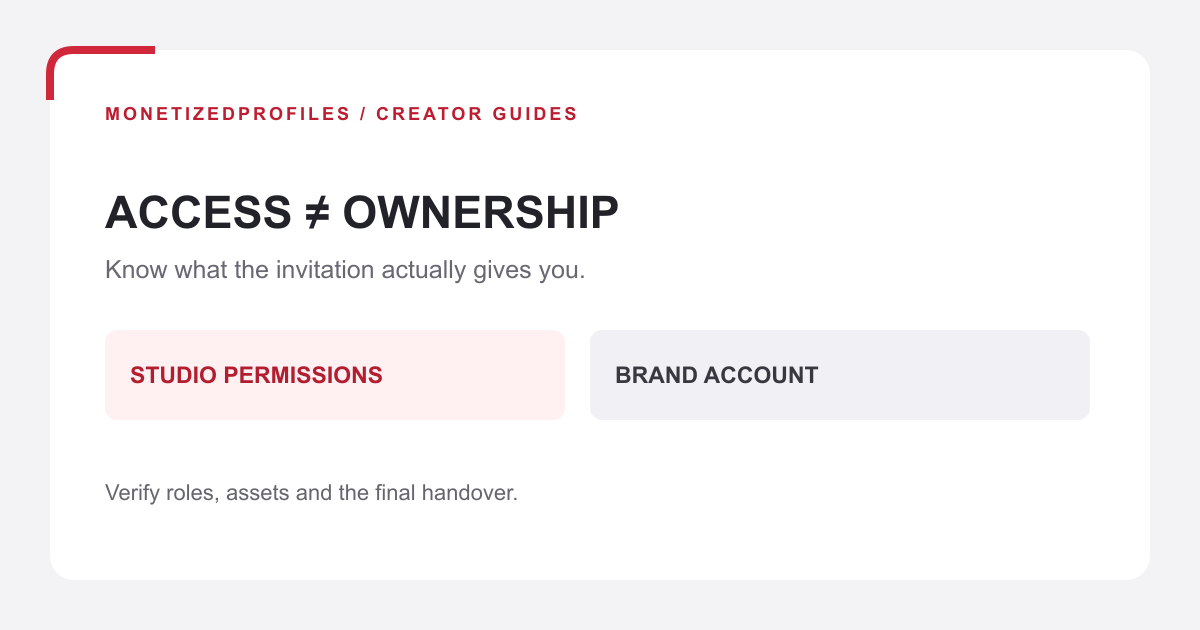
Buying a monetized YouTube channel should be treated as an evidence-based handover, not an instant-income shortcut. Before paying, verify the exact channel, current ownership arrangement, YouTube Partner Program status, content rights, audience history and payment setup. Access, ownership, monetization and payouts are related, but they are not the same state.
A seller’s screenshot or an invitation to YouTube Studio is not enough. YouTube’s official documentation separates Brand Account ownership from role-based channel access, while AdSense for YouTube has its own association and payee rules. This guide provides a handover record for checking those parts. It does not establish that a specific transaction is permitted, guarantee continued YPP participation or predict future revenue.
Separate the four states before discussing price
| State | Evidence to inspect | What it does not prove |
|---|---|---|
| Working access | The role shown for your own Google account | Primary ownership or payment control |
| Ownership | The current Brand Account owners and intended final primary owner | That AdSense or outside assets transfer |
| YPP and features | The current Earn area and relevant feature/module status | Future approval, policy compliance or income |
| Payment setup | The buyer’s own eligible AdSense for YouTube association | Ownership of the channel or its content rights |
YouTube recommends channel permissions for routine team access instead of password sharing. Its guidance also says ownership transfer is a separate Brand Account process. If the channel is not linked to a Brand Account, managers can be changed but owners cannot. Record the actual configuration rather than accepting a generic promise to “transfer access.”
Build an evidence pack before committing funds
Ask for current, channel-specific evidence through an agreed, secure review method. Do not request passwords, recovery codes or copies of sensitive identity documents in an informal checklist. The evidence pack should identify the channel by URL and channel ID, not only by display name.
- Program status: inspect the current Earn area and note the exact YPP or feature status shown. A green monetization icon on one video answers a narrower question.
- Policy history: review active notices, copyright issues and any unresolved restrictions that the seller is authorized to disclose.
- Audience fit: compare recent and longer date ranges for views, returning viewers, traffic sources, formats and viewer geography. Preserve the dates; a strong historical period is not a forecast.
- Content rights: list source footage, music, thumbnails, scripts, licences, sponsor obligations and third-party claims. Channel control does not automatically include these assets.
- Operating dependencies: identify editors, storage, domain names, affiliate accounts and other services required to keep publishing.
YouTube’s monetization policies say monetizing channels are reviewed on an ongoing basis. That is why a historic approval should not be priced as permanent. Evaluate whether the existing library and your planned uploads can continue to meet the current originality, authenticity and advertiser-suitability requirements.
Use six hold points for the handover
This record is our editorial framework, not a YouTube form or legal contract. Mark a hold point unresolved when its evidence is incomplete.
- Identity: match the channel URL and ID in the agreement, Studio and ownership screens.
- Evidence: date the YPP, policy and analytics observations; save the agreed export or review record without copying secrets.
- Rights: list the content and business assets included, excluded or still awaiting permission.
- Ownership: write the current role system, intended owner, waiting period and completion evidence.
- Payment: plan the buyer’s own AdSense for YouTube association and any expected gap before monetization resumes.
- Acceptance: define who confirms the final roles, asset delivery and unresolved exceptions before the transaction completes.
For a Brand Account, Google currently requires a person to have been an owner for at least seven days before becoming primary owner. YouTube’s migration guidance says Studio channel permissions may need to be opted out of to complete a channel transfer. Do not confuse that ownership change with moving a channel between Brand Accounts; our permissions and ownership guide explains those separate operations and their evidence.
Treat AdSense as a separate workstream
Google’s AdSense for YouTube setup guidance says AdSense account ownership cannot be transferred. The buyer should use their own valid account and follow the association flow from YouTube Studio. Accessing another person’s AdSense account is not a handover method.
The current association guidance says a linked AdSense for YouTube account can be changed only once every 32 days. An existing-account association may appear quickly but can take up to 24 hours to reflect; a new-account approval may take several days and sometimes two to three weeks. Build the plan around that uncertainty. Do not promise day-one earnings or release funds merely because Studio access works.
Work through a hypothetical review
Suppose a listing shows a monetized tutorial channel. The screenshot is three months old, the display name matches, and the subscriber count is attractive. The buyer first matches the channel ID, then reviews the current Earn status and two comparable analytics ranges. Recent views come mostly from one older video, while the planned topic is different.
The ownership screen shows a Brand Account, but the buyer has only a Studio editor invitation. Several top videos also rely on source files and licences that are not yet listed. The correct result is hold, not “approved with assumptions.” The next actions are to document the intended ownership path, identify the included rights and evaluate audience fit. If those gaps remain, the buyer walks away. This example is hypothetical; it is not a customer result or valuation model.
Verify the finished state
After the planned waiting period and role changes, recheck the exact channel. Confirm the intended person is shown in the intended ownership role, routine access is limited to the people who need it, and the buyer can see the expected channel in Studio. Confirm the content files and licences in the written inventory. Then verify the buyer’s own AdSense association and current Earn status separately.
If you are evaluating an available option, the MonetizedProfiles YouTube account details and account catalog describe the current offering and handover. Apply the same evidence record to the specific channel. A product description, past revenue screenshot or earlier approval does not guarantee that a new upload will earn.
Frequently asked questions
Does Studio owner access mean I own the channel?
Not necessarily. Studio permissions and Brand Account ownership are separate systems. Verify the channel’s configuration and final primary-owner state.
Can the seller transfer their AdSense account?
Google’s current guidance says AdSense and AdSense for YouTube account ownership cannot be transferred. Link the buyer’s own eligible account through Studio.
Does YPP status guarantee future revenue?
No. Feature access, content eligibility, audience response, policy compliance and payment association can change. Keep forecasts separate from verified historical evidence.
What if a handover step is unclear?
Pause at that hold point. Record the exact missing evidence and responsible party. Do not replace an unresolved ownership, rights or payment question with a verbal assurance.
Official documentation and live internal links checked October 21, 2026. Platform processes can change; recheck the linked instructions for the actual channel. The six hold points and hypothetical review are editorial tools, not legal, tax or financial advice and not a promise of monetization or earnings.